


Reading BMW Service Reminders: What's Urgent and What Can Wait
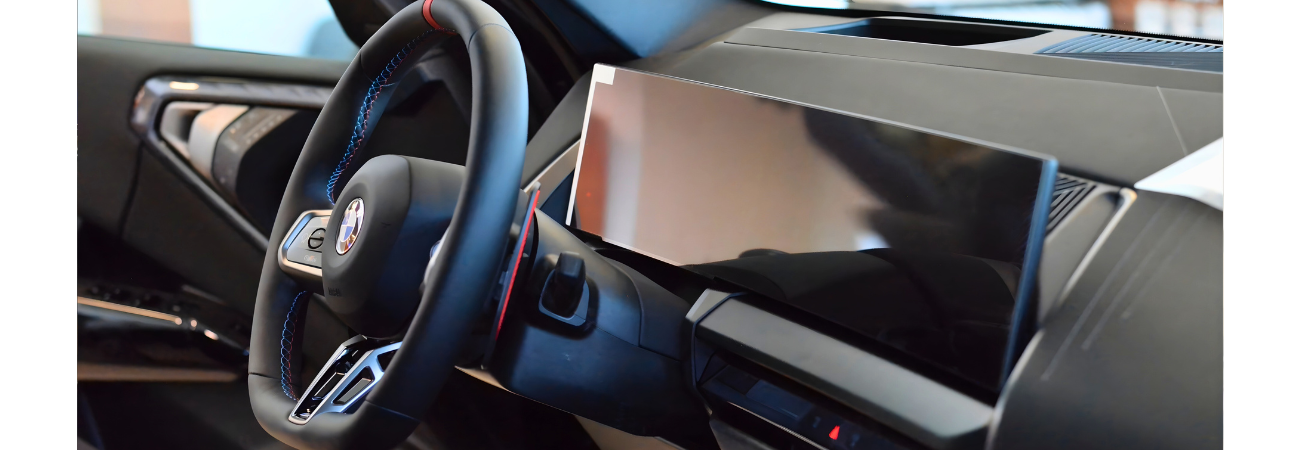
You're driving around Dayton, everything feels fine, then your BMW flashes "Oil Service" or "Vehicle Check." The car isn't acting up, so is this urgent or just a friendly nudge?
Here's the bottom line: most BMW service reminders are scheduled maintenance, not emergencies. Still, some messages are real warnings and deserve quick action.
This guide gives you a simple way to read what your BMW is telling you, sort it into "now," "soon," or "warning," and plan service without stress. It also helps to remember that BMW reminders can be based on time, mileage, driving style, and sensor data. As a result, two similar BMWs can show very different timelines.
Where BMW service reminders show up, and what the icons and wording usually mean
Most reminders appear in three places, depending on your model and settings:
iDrive notifications: You'll often see a pop-up when starting the car, plus a menu that stores messages. Many vehicles also show a "Service requirements" style screen with remaining miles or a due date.
Instrument cluster: A small icon, a date, or remaining mileage may show near other vehicle status info.
BMW Connected app (if enabled): Some reminders and status items can appear on your phone, which is handy if you don't sit in the car often.
It also helps to separate two types of messages:
1) Scheduled maintenance reminders (Condition Based Service style items): These usually say something like "Service due," "Due in," or show a date and miles remaining. Think of these as your car's calendar reminders. They're important, but they're not the same as a fault.
2) Warnings and Check Control messages: These tend to be more direct. They might mention "Drive moderately," "Stop carefully," "Engine temperature," or "Brake system." The color and wording matter. A red warning is a different situation than an oil service countdown.
When you see any reminder, don't focus only on the symbol. Look for the details: due date, remaining miles, and any extra instructions. If your car offers a "show details" option, open it. That extra line often tells you whether it's routine or urgent.
If you want a broader refresher on why staying current matters, How car maintenance keeps your BMW like new is a helpful read.
The fast way to read the message: due now, due soon, or a real warning
Use a quick 3-bucket check before you do anything else:
Due now (or overdue): The reminder shows 0 miles, a past due date, or "Service due." Plan service right away, especially for oil service or brakes.
Due soon: The reminder shows time or mileage remaining, but it's getting close. A practical rule is within 1,000 miles or 30 days. If you drive less, think in weeks. If you drive more, think in miles.
Real warning: The message uses urgent wording, turns red, or tells you to stop or reduce speed. Treat these differently than scheduled BMW service items, even if the car still drives.
Common BMW service items you might see, translated into plain English
Your exact list depends on model and year, so confirm with your owner's manual or your service advisor. Still, these are common:
Engine oil service: Change oil and filter, then reset the reminder.
Brake fluid: Flush and replace brake fluid (often time-based).
Front brake pads / Rear brake pads: Pads are worn and need inspection or replacement.
Vehicle Check: A factory-recommended inspection of key systems, more than just an oil change.
Microfilter (cabin air filter): Replaces the filter for HVAC air coming into the cabin.
Spark plugs (some models): Replaces plugs at a set interval to keep ignition strong.
Engine air filter: Helps the engine breathe clean air, affects efficiency when dirty.
Coolant: Check or service the cooling system, depending on what the reminder says.
State inspection reminders: Time to plan for emissions or safety checks, depending on your area.
What's urgent vs what can wait (and how long is "safe" to wait)
Not all reminders carry the same risk. A good way to judge urgency is to ask, "What happens if I ignore this?" The consequences usually land in one of three areas: safety, engine damage, or inspection and emissions problems.
Here's a practical way to group them, without pretending every car and driver is identical.
Stop driving or treat as urgent:
Anything that warns about oil pressure, overheating, braking ability, charging system failure, or a sudden tire issue belongs here. These can turn from "fine" to "tow truck" quickly.
Schedule soon:
Oil service due, brake fluid due by date, vehicle check due, and brake pads nearing minimum thickness usually fit this group. You can often drive a little, but waiting too long raises the chance of extra wear or a bigger repair.
Can wait a bit (plan it, don't ignore it):
Microfilter and some inspection-type reminders can sometimes be scheduled with the next visit. The goal is convenience, not neglect.
Dayton weather changes the math. Winter road salt and slush can speed up brake corrosion and underbody wear, and that can make brake inspections more important. On the other hand, lots of short trips in cold weather can be harder on oil because the engine spends more time warming up.
Urgent reminders that should not be ignored
Some messages are the car's version of a smoke alarm. Act first, diagnose second.
Common urgent warnings include low oil pressure, engine overheating, brake system warnings, battery/charging system warnings, severe misfire, and tire pressure warnings (especially rapid loss). Also take "brake pads" seriously when the car indicates they're near the wear limit.
If you see one of these:
Pull over safely if the message suggests stopping, or if the car feels unsafe.
Check the details screen in iDrive or the cluster for instructions.
Call for help if the message indicates reduced braking, overheating, or oil pressure issues.
If the warning is red or tells you to stop, don't try to "make it home." A short drive can cause expensive damage.
These are different from routine BMW service reminders. Treat them like a safety issue, not an appointment suggestion.
Reminders that are usually okay to schedule soon, plus a realistic grace window
For scheduled items, planning beats panic. A conservative window that works for many drivers is within 500 to 1,000 miles or within 2 to 4 weeks once a reminder gets close or shows "due." That buffer helps because shop schedules fill up, and some items pair well together.
Examples that usually fall into "schedule soon":
Oil service due: Book it soon, especially if you do short trips or sit in traffic often.
Brake fluid due by date: It's time-based for a reason. Moisture buildup can affect braking performance.
Vehicle check due: Think of it as a planned health check that can catch tires, brakes, battery, and small leaks before they become warnings.
Microfilter due: Not dangerous, but it can affect HVAC airflow and cabin comfort.
If you have two reminders close together, ask about combining them. For example, oil service plus a vehicle check often makes for one efficient visit.
A simple plan to stay ahead of BMW service in Dayton, and get it done without hassle
A reminder is only annoying when it's vague. Turn it into a plan in a few minutes.
Take a photo of the reminder screen. Capture the wording, the due date, and remaining miles.
Write down your current mileage and your typical driving pattern (short trips, highway commutes, lots of idling, towing).
Sort the message into the 3 buckets: due now, due soon, or warning.
Call or schedule online with clear info so there's less back-and-forth.
When you book, share your VIN, current mileage, the exact reminder text, and any symptoms (noise, smell, vibration, longer stopping distance). That context helps the advisor plan parts and time.
To set up your next visit, use Schedule your BMW service. While it's in, ask for a quick multi-point inspection. It's one of the easiest ways to catch tire, brake, and battery issues before they become dashboard warnings.
Questions to ask when you book: what it includes, what it costs, and what can be bundled
A few simple questions keep things clear:
Is this a CBS maintenance item or a warning message?
What parts and fluids are included in this service?
Can you check brakes, tires, and battery while it's there?
Can multiple reminders be handled in one visit?
Is there a loaner or shuttle option for my appointment time?
Conclusion
BMW reminders make more sense once you sort them into three buckets: urgent warnings, due now, and due soon (or can wait a bit). After that, the next step is simple, match the message to the risk, then schedule service before small wear turns into a bigger problem.
If your BMW is showing an oil service, vehicle check, or brake reminder, it's a good time to plan ahead and stay confident on Dayton roads. Schedule your next BMW service with BMW of Dayton, and get the peace of mind that comes from having the details handled the right way.